
Motivation #
Sometimes the DEM elevation value is not realistic, and you know how many m specifically you need to offset for the elevation, for a given patch of polygon. This can happen when you know that a certain station range of a river channel is too high, and you want to lower it.
Then you can use the “Polygon Mod Editor” tool to offset that patch of polygon by a certain m.
Example #
In this specific instance, the DEM elevation profile at the specific cross line is not realistic, because right in the middle of the river, the elevation is higher than the neigbouring banks!
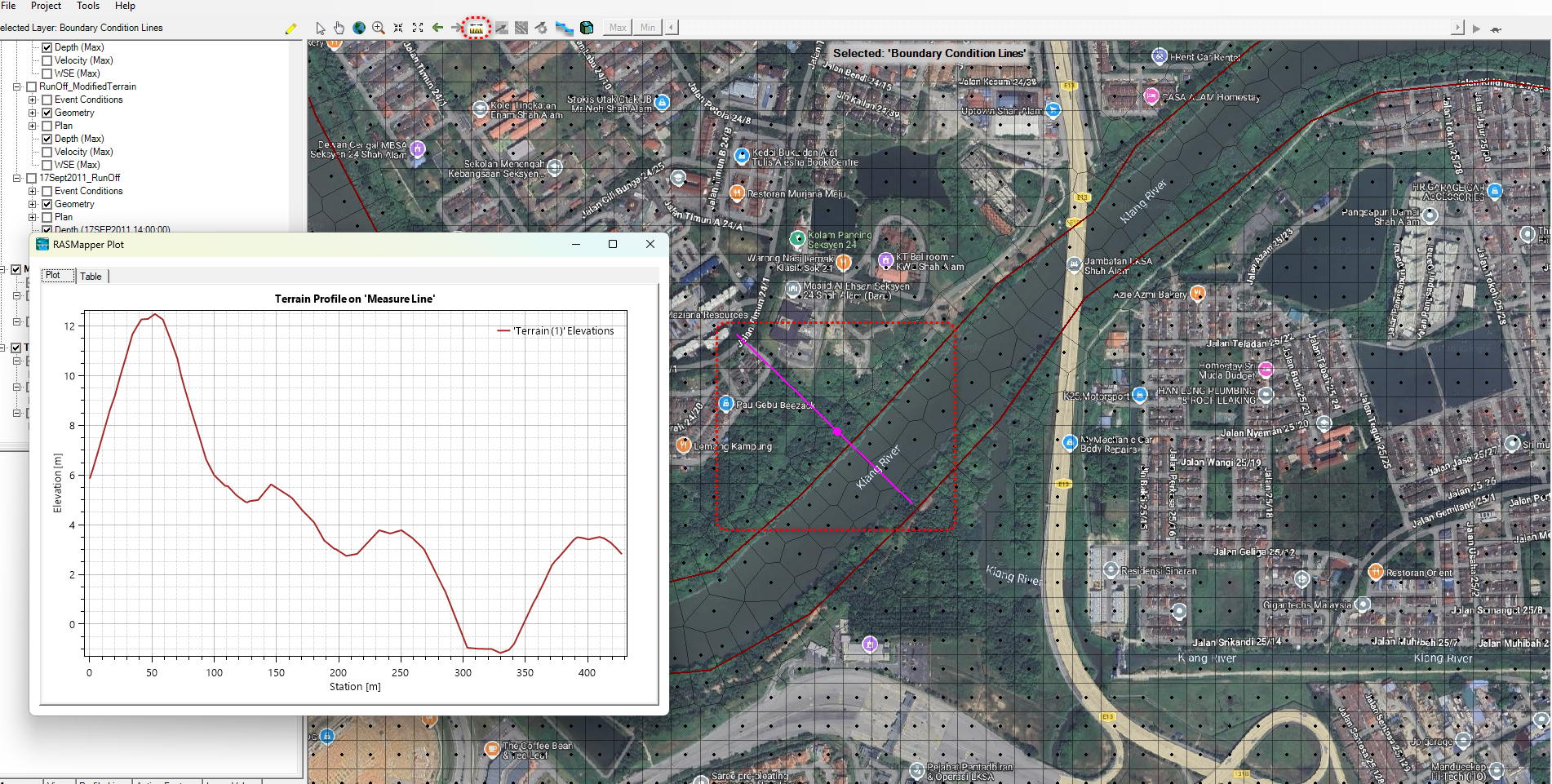
To get to the Terrain Profile, you can click on the ruler at the top of the toolbar, then draw a cross line across the river. When you end the cross line, you can choose to Plot it out via context menu.
How to reduce the elevation of the river #
It goes without saying that you have to be very sure that the DEM elevation is wrong, and so you know that your correction is correct.
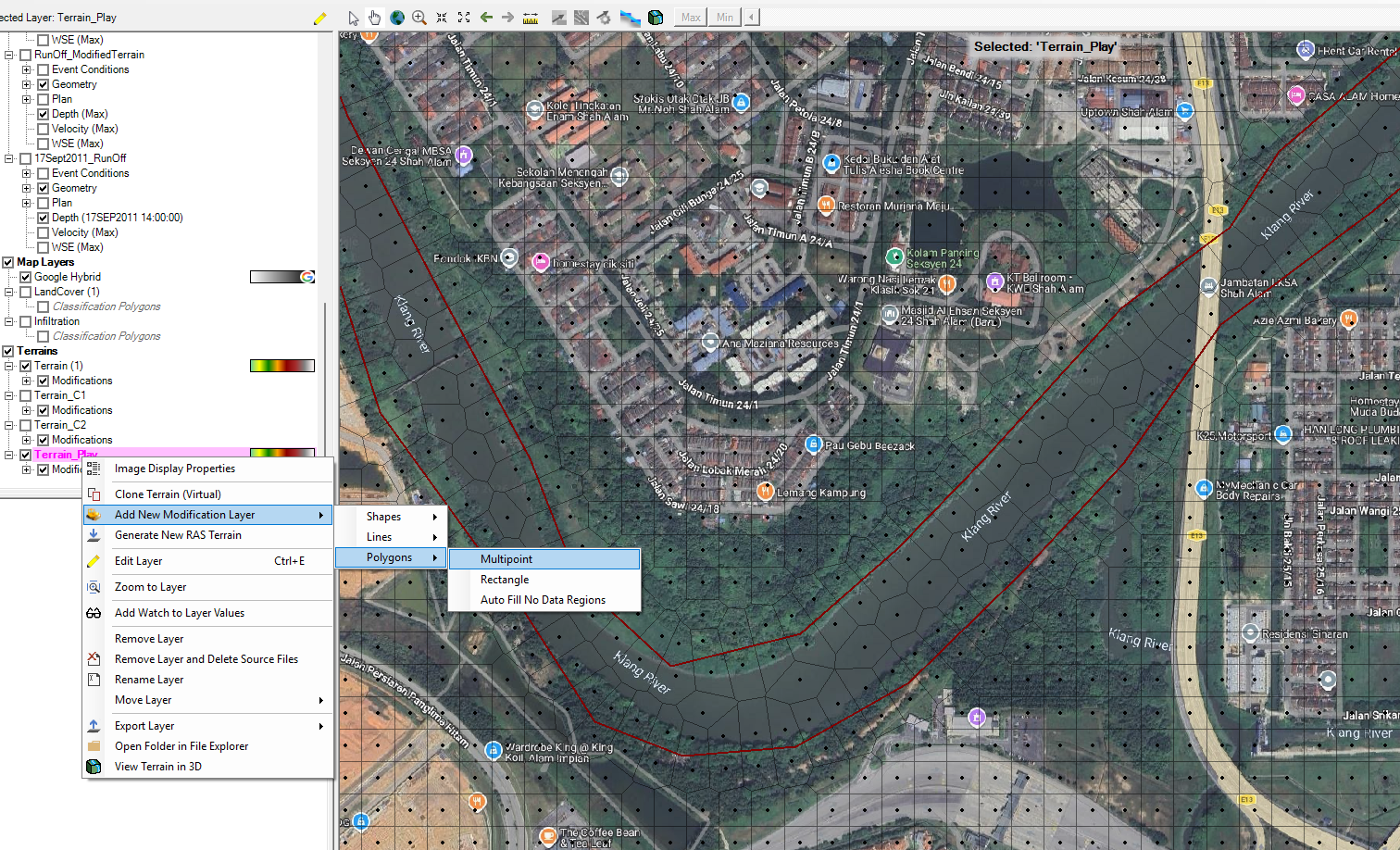
Then, you will select your existing Terrain Layer, right click on it, “Add New Modification Layer”, “Polygons”, “Multipoint”, then you will get to the “Polygon Mod Editor”.
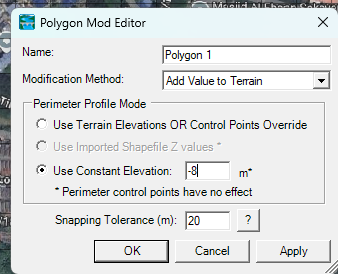
This time, choose the “Add Value to Terrain”, and specify a constant elevation. In the case here, all the elevation within the polygon patch will be reduced by 8m.
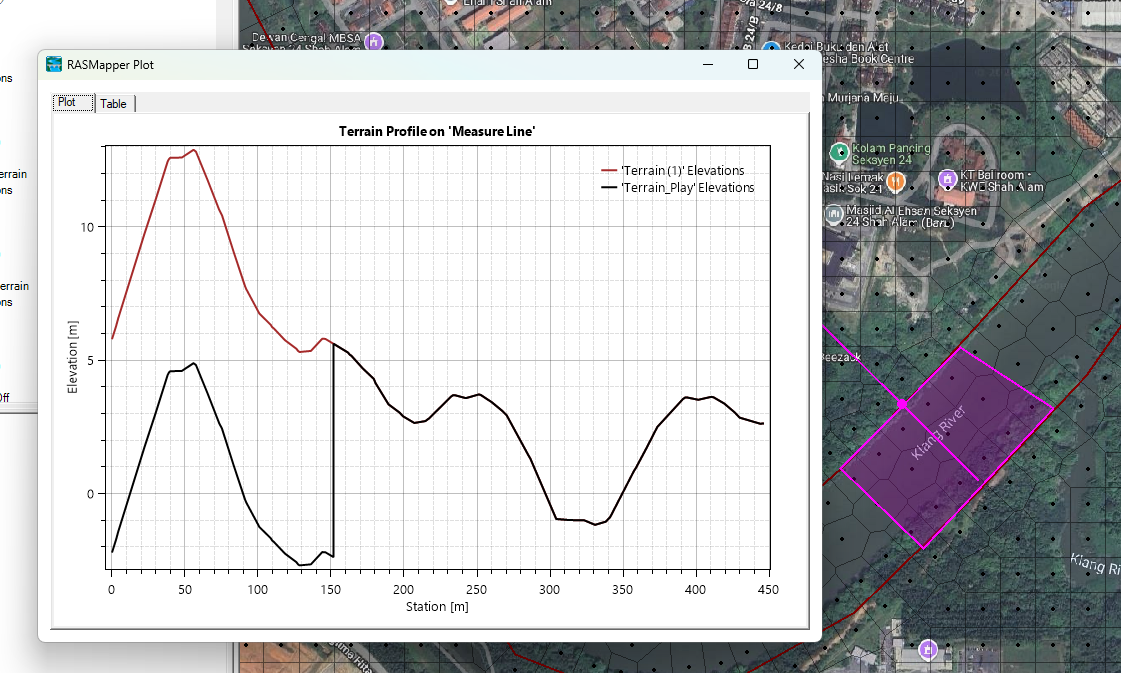
After you click OK, and you measure again the cross section profile at the same spot, you will find that the elevation has been reduced by precisely that amount.

My passion is in sharing knowledge — Civil 3D or otherwise– with the world.
I’m also the benevolent dictator for life at MES Innovation Sdn Bhd.


